In 2025, Google’s Nano-Banana has taken the creative world by storm — becoming the most advanced AI image editor available today. But here’
s the catch: while nearly everyone is experimenting with it, 99% of users are still prompting it wrong.
This guide breaks down how to use Nano-Banana effectively — whether you’re a beginner experimenting with quick edits, a pro working on marketing visuals, or an advanced creator pushing the limits of AI-powered storytelling.
🔰 For Beginners: Simplicity Meets Magic
If you’re new to AI photo editing, Nano-Banana can feel like sorcery. But its real strength lies in its simplicity. A single sentence can completely transform an image.
1. Simple Object Replacement
Want to swap an object in your photo without hours in Photoshop? Nano-Banana handles it instantly.
Example Prompt:
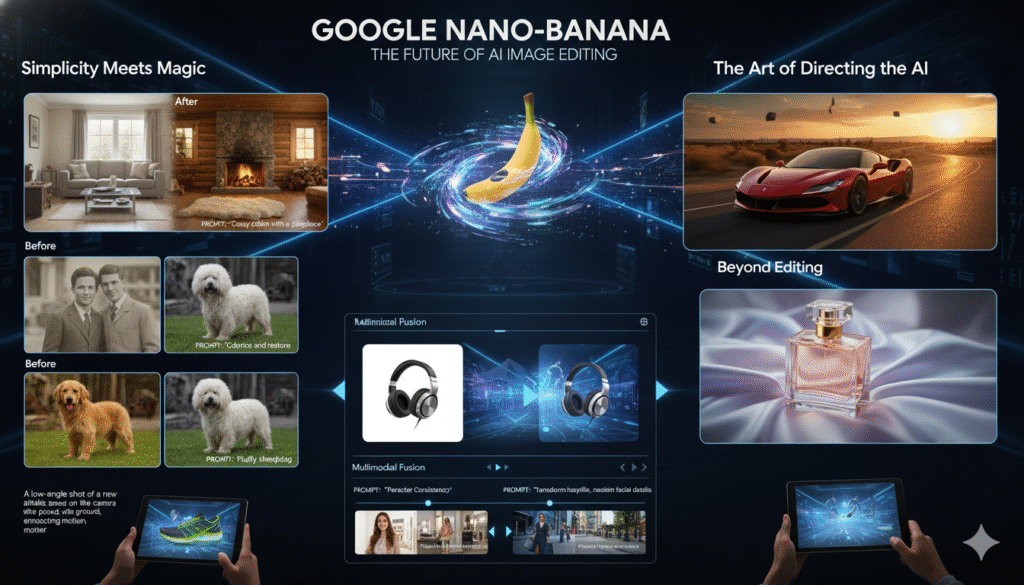
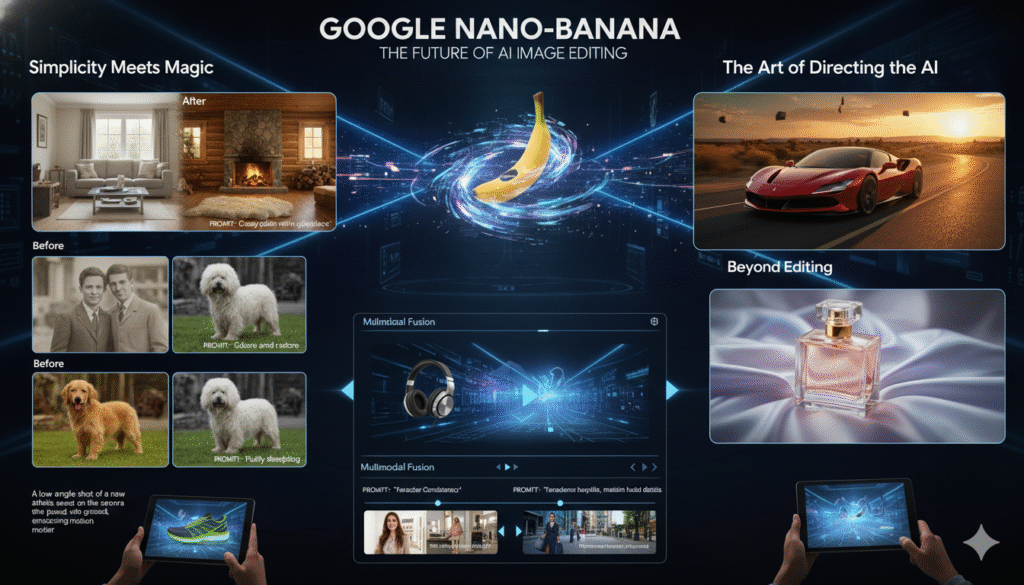
With this, the AI understands context, lighting, and shadows — creating a natural transformation as if it were a real photograph.
2. Photo Restoration
Old, faded photos? Nano-Banana can restore and colorize them beautifully.
Example Prompt:
This tool isn’t just about pixels — it’s about bringing memories back to life.
3. Conditioning (Mood Setting)
Set the mood of your photo with just one line.
Example Prompt:
By adding simple descriptive words, you guide the AI toward a specific tone, atmosphere, and visual emotion.
⚙️ For Pros: The Art of Directing the AI
Professionals don’t just describe images — they direct the AI like a film crew. Nano-Banana responds beautifully to precision and intent.
1. Composite Generation
Create complex visuals by combining subjects, backgrounds, and props seamlessly.
Example Prompt:
“Reimagine the Ferrari driving down a desert highway at sunset. Cinematic lighting, dramatic shadows.”
Perfect for marketing visuals, product launches, or campaign mockups — all in seconds.
2. Mood & Atmosphere
Control lighting, tone, and mood using emotional keywords.
Example Prompt:
“A bottle of perfume on a silk cloth, with soft focus and a dreamy, elegant feel. Macro shot.”
By thinking like a photographer, you unlock studio-quality results using just text.
3. Camera Language
Frame your shot using cinematic direction.
Example Prompt:
“A low-angle shot of a new athletic shoe on a running track, with the camera close to the ground, emphasizing motion and power.”
Nano-Banana interprets angles, focus, and motion blur to mimic real camera behavior — something no other AI tool matches right now.
🚀 For Advanced Users: Beyond Editing
Once you master the basics, it’s time to explore the next frontier with tools like Kling 2.1, Higgsfield, and Hailuo — where still images evolve into motion.
1. Multimodal Fusion
Blend multiple images into a single dynamic sequence.
Example Prompt:
“Use the two images to create a video that morphs the headphones from the white background into a futuristic studio with a seamless, sci-fi transition.”
It’s perfect for product reveals, brand intros, and immersive storytelling.
2. Character Consistency
Keep your subject’s identity intact while making creative changes.
Example Prompt:
“Use the two images to create a video that transforms the character’s hairstyle while maintaining facial details and brand consistency.”
This technique ensures continuity across campaigns — vital for brand identity.
3. Narrative Flow
Tell short, impactful stories through transitions.
Example Prompt:
“Transition from a person in a store to them confidently walking down the street, showcasing a successful shopping experience.”
Here, Nano-Banana becomes your AI cinematographer, crafting visual narratives that connect emotionally with your audience.
🎬 The Pro Secret: Don’t Describe — Direct
The real difference between amateurs and professionals is in how they communicate with the AI.
- Amateurs say: “I want a photo of a car on a road.”
- Pros say: “A cinematic low-angle shot of a sports car speeding down a wet highway at night, reflecting neon lights.”
Nano-Banana doesn’t just generate — it interprets. The more you treat it like a creative team, the more it performs like one.