

Best Patent Writing Tools for Legal Professionals
Every patent attorney knows the sinking feeling of approaching a 4:00 PM filing deadline only to discover a claim-numbering error that ripples through a sixty-page document. In the high-stakes environment of the USPTO, where precision is paramount, these clerical slips are more than just annoying; they are potential malpractice liabilities. While Microsoft Word remains the industry standard for general correspondence, its limitations become dangerously apparent when handling the rigid, interdependent structure of a patent application.
Standard word processors treat text as a linear stream of characters, yet a patent specification functions more like code—a complex web of antecedents and dependencies. Relying solely on manual formatting for this architectural work forces legal professionals to act as expensive proofreaders rather than strategists. Consequently, valuable cognitive energy is wasted battling indentation settings instead of refining the scope of protection for the inventor.
Industry analysis suggests that a significant portion of non-billable time in patent prosecution is consumed by these tedious formatting tasks and the subsequent cleanup of resulting Office Actions. This inefficiency creates a bottleneck that limits a firm’s throughput and increases the risk of formality rejections. Moving beyond basic word processing is not about replacing the attorney, but about implementing a structural safety net that catches inconsistencies before the examiner does.
The best patent writing tools for legal professionals bridge this gap by offering structural editing capabilities designed specifically for intellectual property. By automating the mechanical aspects of drafting, modern patent drafting software allows practitioners to trade hours of administrative friction for high-level legal strategy. Evaluating the leading solutions determines which options effectively assist in reducing clerical errors while maintaining the rigorous data security standards required by law firms.
The High Cost of ‘Manual’ Patent Drafting
An incorrect dependency in Claim 25 isn’t just a typo; it is a procedural roadblock that stalls the entire prosecution process. When attorneys manually renumber claims in standard word processors, they often inadvertently break references elsewhere in the specification or drawings. This phenomenon, often called the “clerical ripple effect,” frequently triggers a 35 U.S.C. § 112 rejection for indefiniteness. Instead of debating the novelty of the invention with the Examiner, the legal team ends up burning non-billable hours correcting distinct numbering inconsistencies that specialized patent drafting software would have flagged instantly.
Beyond the daily frustration of re-formatting, the financial implications of sticking to manual document preparation are significant. Firms relying solely on generic word processing tools face tangible deficits across three key areas:
- Billable Efficiency: Roughly 20% of a drafting associate’s time is often lost to formatting mechanics rather than high-level legal strategy.
- USPTO Extension Fees: Simple formality rejections delay allowance, often necessitating extension of time fees to correct avoidable clerical errors.
- Client Confidence: Frequent technical rejections can damage the inventor’s trust in the firm’s attention to detail and professional reputation.
Viewing drafting automation merely as a convenience misses the larger strategic picture. These tools function as essential risk mitigation, insulating the firm from the human error inherent in reviewing sixty pages of dense technical data. Once the clerical noise is silenced, the attorney can shift focus to the logical coherence of the invention, a process best managed through visual structure rather than text alone.
Beyond Text: Using Claim-Tree Visualization to Fix Logic Gaps
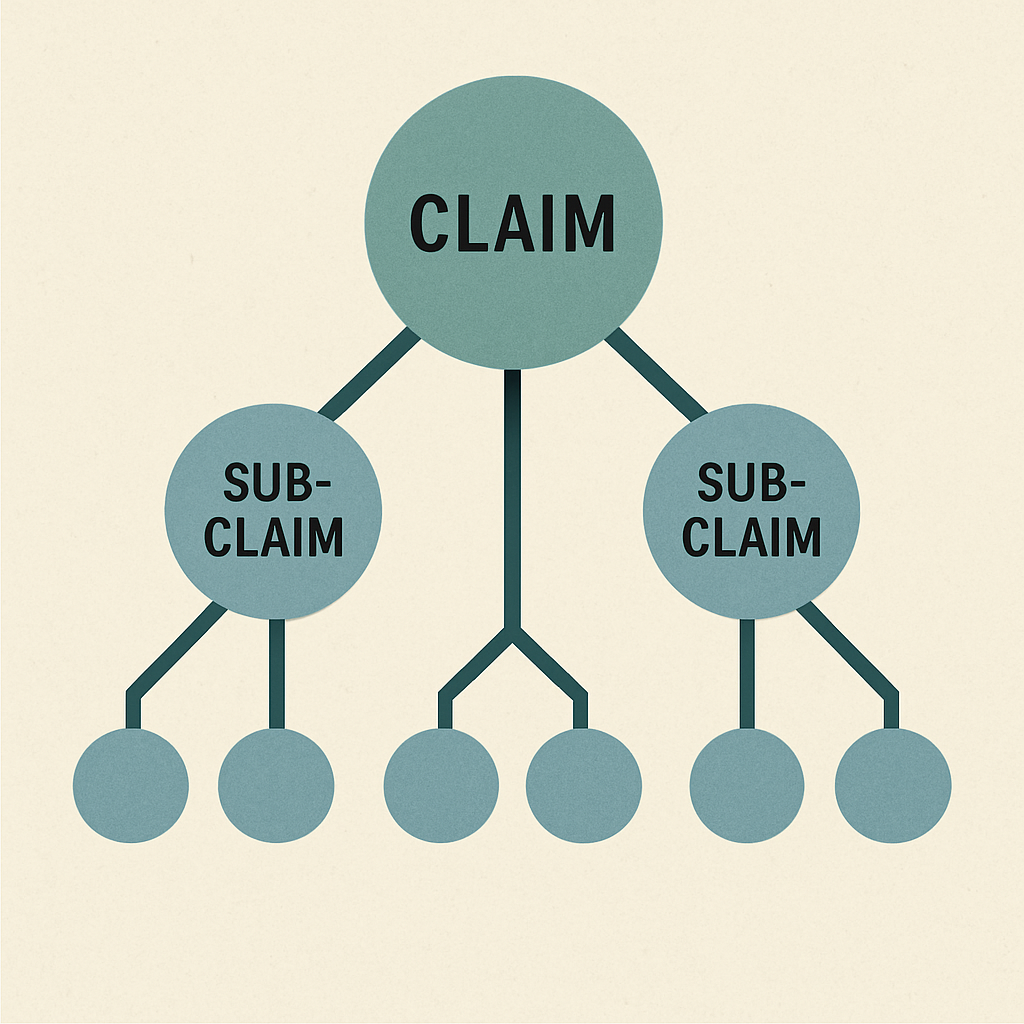
Reading a patent application sequentially often hides structural flaws buried within the dense claim set. Specialized patent drafting automation software addresses this limitation by generating a “Claim-Tree”—a dynamic flowchart that maps every independent and dependent claim relationship in real-time. This feature functions as a digital X-ray for your legal logic; instead of scrolling through pages of text to trace a dependency, the interface presents a hierarchical skeleton of the invention. This immediate visualization allows attorneys to verify that the broad scope of an independent claim is properly supported by the narrowing limitations of its dependent children without getting lost in the syntax.
Logic errors, such as circular dependencies where Claim 5 depends on Claim 4 but Claim 4 inadvertently references Claim 5, are notoriously difficult to spot during a manual read-through. Claim-tree visualization tools automate this detection by graphically highlighting broken links or “orphan” claims—those that have lost their parent claim during a revision. By flagging these structural breaks instantly, the attorney can restructure the claim set to ensure statutory compliance before the document ever leaves the firm. This shifts the drafter’s focus from hunting for numbering errors to refining the actual scope of protection.
Major revisions often destabilize a well-written draft, especially when an inventor introduces a new embodiment late in the process. Automating patent claim drafting effectively involves using these visual maps to surgically insert new elements without collapsing the existing hierarchy. This visual confirmation provides a safety net during high-pressure filing windows, ensuring the structural integrity of the application remains intact. Once the structure is solidified, the next layer of defense involves deploying advanced algorithms to scrutinize the text itself.
How AI-Powered Proofreading Catches What Your Eyes Miss
Even the most meticulous attorneys eventually succumb to “drafting fatigue,” a state where the brain begins to auto-correct errors on the screen rather than seeing what is actually written. AI-powered patent proofreading tools act as a tireless editor, specifically targeting the notorious “lack of antecedent basis” rejection. Instead of manually scanning sixty pages to ensure every instance of “the lever” was properly introduced as “a lever,” these tools instantly flag orphaned terms. This automation transforms a distinctively human vulnerability—loss of focus—into a managed risk, ensuring that statutory compliance doesn’t rely solely on willpower.
Consistency across the entire application is equally critical, yet maintaining it manually during complex revisions is prone to error. Modern software synchronizes terminology between the claims, the detailed description, and the figures to prevent fatal ambiguities. If a component is labeled “part 102” in the drawings but referred to as “element 104” in the specification, the system alerts the drafter immediately. Improving patent application quality with technology means these discrepancies are caught before the USPTO examiner spots them, preventing avoidable 112 rejections that delay allowance.
Beyond simple spell-checking, these algorithmic assistants apply rigorous logic checks against standard USPTO rules. A typical scan identifies:
- Antecedent basis errors where definite articles (the/said) lack a preceding indefinite article.
- Inconsistent terminology used for the same element across different sections.
- Drawing-to-spec numbering mismatches that confuse the scope of the invention.
- Improper claim form, such as multiple sentence structures or hanging references.
Embracing these automated checks allows legal professionals to shift their energy from clerical minutiae back to the inventive concept. With the benefits of automation clear, the practical challenge becomes selecting the right vendor. The market is dominated by two primary contenders, each offering a distinct approach to integrating these safeguards into daily practice.
Comparing the Giants: ClaimMaster vs. PatentOptimizer for Daily Practice
Selecting the right software often feels like deciding between a scalpel and a Swiss Army knife. For most firms, the search for the best patent writing tools narrows down to ClaimMaster and LexisNexis PatentOptimizer. These platforms differ fundamentally in workspace integration: ClaimMaster operates primarily as a lightweight Microsoft Word plugin, while PatentOptimizer offers a robust suite of analytics tied to a larger research ecosystem. The decision usually hinges on whether your team prefers a tool that quietly augments their existing Word environment or a comprehensive platform that brings external data resources directly into the drafting window.
Integration style dictates the learning curve for attorneys who cannot afford downtime. Patent drafting software functioning as a seamless Word add-in allows users to perform antecedent checks and renumber claims without leaving the document, preserving the “flow state” essential for writing complex specifications. While deep integration offers convenience, standalone options often provide powerful analytics but force users to toggle between windows, breaking focus. Firms must weigh the efficiency of an embedded toolbar against the depth of external research capabilities provided by larger data providers.
Modern efficiency also demands interoperability with the USPTO’s digital infrastructure. Top-rated intellectual property drafting solutions for attorneys distinguish themselves by how well they communicate with the Patent Center. Recent updates allow certain tools to pull bibliographic data directly from the USPTO or validate DOCX files against official submission requirements before upload. This connectivity acts as a final fail-safe, ensuring that the document on your screen matches the technical specifications of the patent office, effectively bridging the gap between private drafting and public filing.
Ultimately, the choice of ClaimMaster vs PatentOptimizer depends on prioritizing lightweight drafting speed versus heavy research analytics. Smaller boutiques often favor the agility of plugin-focused tools, while large general practice firms may leverage the broader database connections of LexisNexis. Once the application is filed, however, the challenge shifts from creation to defense. The next step in upgrading a practice involves applying these automation principles to the contentious phase of prosecution.
Streamlining Prosecution: Tools That Automate Office Action Responses
Once a patent application enters the Patent Center, the focus shifts to the inevitable back-and-forth with the examiner. For years, responding to a rejection began with the tedious administrative task of manually creating a response document, requiring attorneys to retype application headers, current claims, and status indicators. This non-billable time sink invites clerical errors that can jeopardize the filing. Modern tools capable of streamlining patent prosecution workflows now eliminate this friction by treating the Office Action not just as a PDF to read, but as a data source to be mined.
Instead of a paralegal or associate spending an hour formatting a shell document, automation software uses Optical Character Recognition (OCR) to scan the examiner’s specific objections. The system instantly generates a clean Word document with the correct caption, an updated claim set reflecting the current status, and pre-populated headers for every rejection raised. Automating office action responses in this manner does more than save forty minutes of typing; it acts as a logic check, ensuring that every 102 or 103 rejection is explicitly captured in the response structure so no argument is accidentally overlooked.
This technology is particularly transformative for intellectual property management systems for small firms where administrative support is limited. Beyond basic formatting, advanced tools can now hyperlink cited prior art directly within the draft, allowing attorneys to verify references without losing context. A typical automated workflow includes:
- OCR Extraction: Converting the examiner’s PDF image into searchable text.
- Shell Generation: Auto-populating the response document with headers and current claim status.
- Citation Linking: Embedding direct links to cited patents for immediate review.
However, handing over client data to third-party servers for processing raises critical ethical questions regarding data privacy.
The Security Checklist: Protecting Client Confidentiality in the Cloud
Adopting modern drafting tools requires a pivotal shift in how firms evaluate security for legal software. While traditional breaches involved hackers stealing files, the rise of Generative AI introduces the risk of “data leakage,” where an invention description might inadvertently be used to train a public model. For a patent attorney, the nightmare scenario is not just data theft, but the possibility that a client’s trade secret could theoretically resurface in a competitor’s AI-generated output. This fear often drives attorneys to stick with inefficient manual workflows, but distinguishing between public and private models allows for safe adoption.
Evaluating cloud-based patent application collaboration platforms demands a distinct set of inquiries compared to purchasing boxed software. Most reputable legal tech vendors now offer “zero-retention” policies, ensuring that while the AI processes your text to generate claims or summarize prior art, it deletes the data immediately after the session ends. A firm must explicitly confirm that the vendor uses a “walled garden” approach, meaning the AI model is deployed within a private environment that never communicates with public servers or open-source datasets.
Before approving a new license, review the Terms of Service specifically for the “Training Data” clause. If a vendor claims the right to use your inputs to improve their services, that tool is likely incompatible with strict AI data privacy in law standards. By ensuring the software acts as a sealed processor rather than a learning entity, you can leverage automation without compromising privilege. With these security protocols established, the final step is determining how to integrate these solutions into your firm’s existing habits.
Building Your Patent Tech Roadmap: From Manual to Automated
Shifting from manual formatting to automated assistance fundamentally changes how you approach a filing deadline. You no longer need to spend valuable mental energy worrying if a claim dependency shifted or if an antecedent basis is missing in the depths of the specification. Instead of acting as a high-priced proofreader, you can now focus entirely on the legal strategy and the inventor’s core novelty. The best patent writing tools for legal professionals do not just tidy up your documents; they liberate your schedule from the administrative friction that limits firm profitability.
Consider the actual cost of a simple Office Action triggered by a clerical error. How many billable hours are lost correcting mistakes that a machine could have caught in seconds? As the USPTO faces increasing backlogs and higher scrutiny, the margin for “manual” error shrinks. Adopting patent drafting software is no longer about chasing a trend; it is about securing your practice against preventable liability. When you remove the mechanical drudgery from the equation, you return to the high-value analysis you were actually trained to do.
Building a sustainable IP tech roadmap starts with identifying your specific pain points rather than overhauling your entire workflow overnight. Begin by auditing your recent filings or office actions to pinpoint where mechanical errors most frequently occur. Once you identify these gaps, implement a dedicated proofreading tool to handle the low-hanging fruit of claim numbering and reference checks. Only after your team is comfortable with this “augmented” review process should you look toward full-suite automation for specification generation. This gradual integration ensures that technology serves your existing process rather than disrupting it.
The future of patent law belongs to attorneys who treat technology as a force multiplier rather than a replacement. These tools act as a sophisticated exoskeleton for your legal mind, handling the rigid logic of formatting so you can navigate the nuance of innovation. By integrating these systems today, you are not just fixing a document; you are building a practice capable of operating at the speed of modern invention.