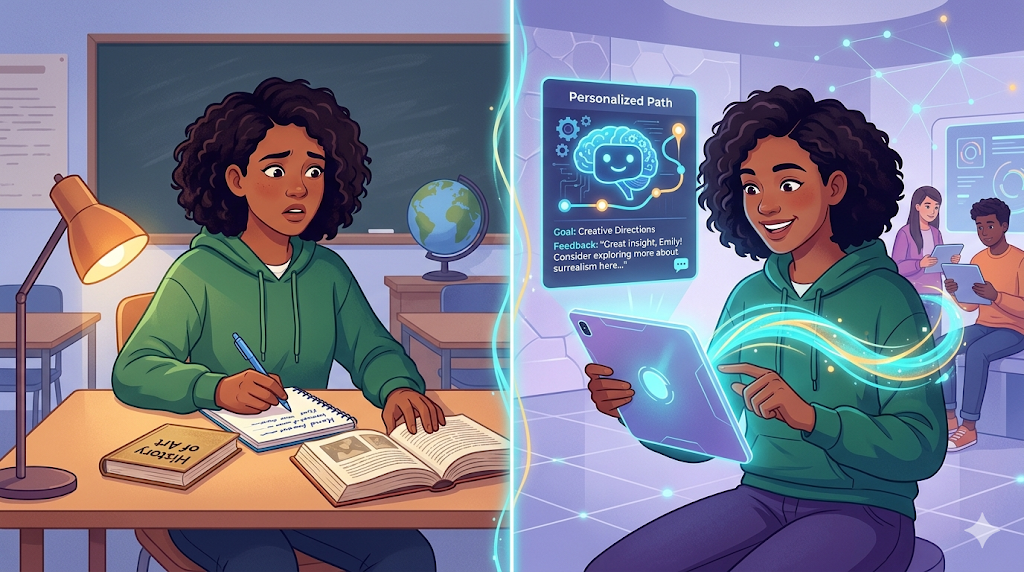
It’s Sunday night, and you still have three lesson plans to differentiate. What if you could finish that heavy lifting while your coffee brews? Ai for teachers is rapidly becoming a practical survival tool, not just a futuristic concept. Imagine generative AI as a tireless “intern” capable of drafting rubrics and organizing data; it executes the tasks, but always requires your expert review for accuracy.
How does artificial intelligence affect teaching and learning? By acting as a collaborative co-pilot, the software handles “busy work” like email drafting so you can reclaim hours for student connection. Establishing essential ethical guardrails ensures you can harness ai for educators without compromising privacy or academic integrity.
What is Generative AI? Understanding Your New ‘Super-Powered Autocomplete’
Most of us treat the internet like a library for retrieving facts, but tools like ChatGPT act more like creative writers. Instead of finding a specific webpage, the software generates entirely new text based on your instructions. Think of it not as a search engine, but as an incredibly fast teaching assistant that creates rough drafts rather than looking up concrete answers.
At a technical level, these tools are Large Language Models (LLMs)—programs trained on massive text datasets to recognize patterns. You can visualize this mechanism as “super-powered autocomplete.” The computer isn’t actually thinking; it is simply predicting the most likely next word in a sentence, effectively guessing the pattern based on everything it has previously read.
Because the system prioritizes patterns over facts, it is prone to “hallucinations”—confident errors that sound plausible but are completely made up. This mirrors a student who didn’t read the book but tries to bluff through an essay. Recognizing that generative ai in higher education and K-12 is a predictor rather than a truth-teller allows you to safely use it to slash your lesson prep time.
Slash Lesson Prep Time: Using ChatGPT to Differentiate Instruction in Minutes
We all know that meeting every student’s reading level usually means spending hours rewriting the same article three different ways. Learning how to use ChatGPT for lesson planning changes this dynamic by treating the AI as a “differentiation engine” that instantly adjusts text complexity without losing the core concepts. Because the tool predicts language patterns, it can translate a high-level science abstract into a 5th-grade summary as easily as it translates English to Spanish. To create tiered assignments in under sixty seconds, follow this workflow:
- Paste your source text (e.g., a news article or textbook excerpt) into the chat window.
- Assign a persona to the AI to guide its tone: “Act as an expert reading interventionist.”
- Command the specific output: “Rewrite the text above for a 4th-grade reading level, but keep the bolded vocabulary words.”
Beyond reading passages, integrating large language models into curriculum design allows you to generate robust support materials in seconds. You can ask the system to “brainstorm 5 engaging hooks about photosynthesis” or “create a standards-aligned rubric for a persuasive essay,” turning an hour of blank-page staring into five minutes of light editing. With your materials prepped in record time, you can shift your focus to the next major hurdle: Reclaiming the Grading Pile.
Reclaiming the Grading Pile: Automating Feedback and Administrative Tasks
Navigating delicate email chains or drafting IEP narratives often drains more energy than actual teaching. Instead of agonizing over phrasing for a concerned parent, you can use ChatGPT to transform rough bullet points into a professional response. By acting as a neutral editor, the tool helps maintain a supportive tone, significantly automating administrative tasks for teachers. This capability extends to paperwork like Individualized Education Programs; pasting anonymized observations and asking for “strength-based goals” creates a solid starting point, letting you focus on the student rather than the syntax.
Facing the weekend grading marathon, use AI to generate rubric-aligned comment banks to provide detailed feedback without repetitive typing. While you remain the final judge, the technology excels at reducing teacher burnout with automated grading support. You can feed the system a student’s essay and ask it to “identify three examples of passive voice,” creating real-time feedback loops for student writing that teach rather than just correct. Mastering these efficiency hacks prepares you for Personalized Learning Pathways.

Personalized Learning Pathways: Supporting Every Student with Adaptive Tools
Differentiation often feels like you need to clone yourself to reach every learner. Instead of rewriting a single worksheet five times, generative AI acts as an on-demand scaffolding engine that instantly modifies content to meet specific accommodation requirements. You can paste a complex reading passage and ask the tool to “rewrite this at a 5th-grade reading level,” unlocking the benefits of ai for students with disabilities through:
- Instantly translating instructions for ELL students.
- Breaking multi-step project guidelines into visual checklists.
- Generating “just-in-time” examples for confused learners.
These tools also facilitate personalized learning pathways with adaptive technology by acting as a judgment-free tutor. Students can use the chat interface to ask for hints rather than answers, allowing you to focus on broader classroom management while the AI handles routine clarification. However, trusting these tools blindly has risks. This leads to the critical challenges of accuracy in Navigating the Grey Area.
Navigating the Grey Area: Handling Plagiarism and AI Hallucinations
Teachers often worry that traditional teaching vs ai-assisted instruction creates a cheating epidemic, but spotting AI-generated work is often intuitive. You might notice a student whose writing suddenly features perfect grammar yet includes bizarrely incorrect facts—a phenomenon known as “hallucination.” View this simply as “confident guessing,” similar to a student bluffing their way through an oral exam with high vocabulary but zero actual substance.
Relying on software for identifying student plagiarism in the age of ai can backfire because current detectors frequently flag honest work as artificial. This uncertainty forces a shift in assessment; rather than policing the final essay, we must value the messy process of drafting. Asking students to verbally explain their reasoning ensures they did the thinking, even if they used digital tools for support.
Discussing the ethical implications of machine learning in schools requires open conversation rather than prohibition. When students view AI as a brainstorming partner rather than an answer key, they are less likely to misuse it. To guide them effectively, you must learn to give the AI specific instructions, utilizing “The Substitute Teacher Method.”
The Substitute Teacher Method: Master Prompt Engineering for Better Classroom Results
Treat the AI exactly like a well-meaning but clueless substitute teacher who needs detailed lesson plans to succeed. Vague requests yield generic results, but mastering prompt engineering for k-12 teachers turns this technology into a precise assistant rather than a frustration. To unlock one of the best ai tools for classroom management, structure your requests using this three-part formula:
- Role: “Act as a compassionate literacy coach.”
- Goal: “Write an email to a parent about a reading struggle.”
- Specifics: “Keep the tone encouraging, under 150 words, and include two at-home strategies.”
By setting these clear constraints, you guide the output to meet your professional standards immediately.
Your First Move: A 3-Step Plan to Integrate AI Without the Overwhelm
Start with the “One Task” rule to avoid overwhelm: pick a single burden, like drafting a rubric, and let the tool create a first pass while keeping student names strictly private. You now possess the strategy to turn ai for educators into a practical, time-saving asset.
You remain the captain of the classroom; the technology simply handles the rowing. By automating the grind, you are doing more than bridging the digital divide with educational technology—you are reclaiming your evenings. Measure success by the stress you eliminate and the hour of rest you gain back this weekend.