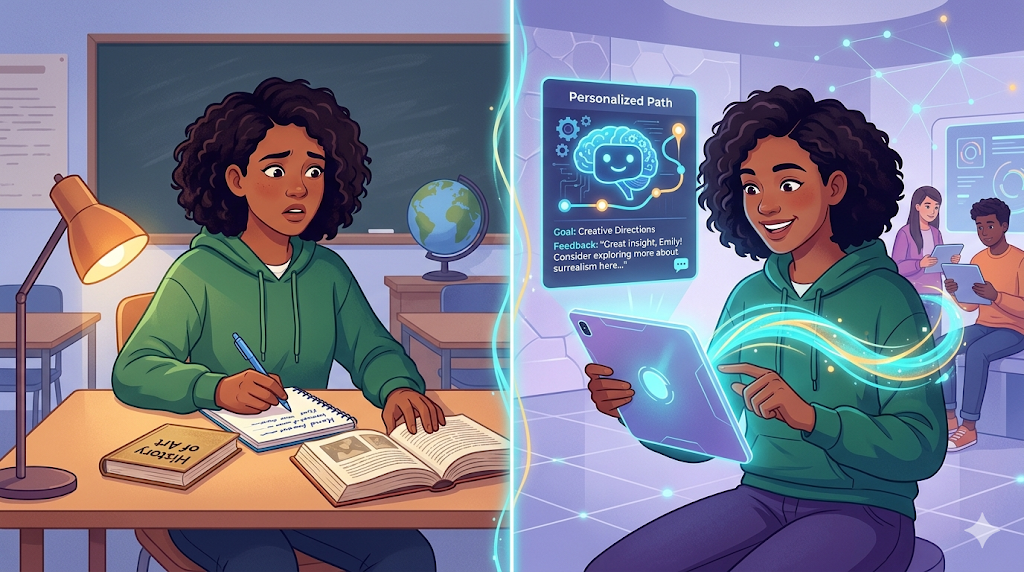
Remember the shift from physical folding maps to GPS? You didn’t become a satellite engineer to survive it; you just learned to type in a destination. Navigating the future of work with artificial intelligence requires that exact mindset. Industry data reveals that overcoming the fear of being “behind” starts with realizing you don’t need a technical background to succeed today. Mastering AI tools, training, and skills is simply about learning to steer a new kind of vehicle.
Instead of a sentient brain, think of AI as an incredibly eager, fast intern. According to computer scientists, this intern acts as a massive prediction engine—guessing the most logical next word based on vast amounts of reading. In practice, this talented assistant desperately needs you as the director to provide clear instructions.

The ‘Fast Intern’ Secret: How Artificial Intelligence Actually Works
Imagine a speed-reading assistant who memorized the library but doesn’t understand the stories. If you want generative AI vs machine learning explained simply, the core secret is pattern recognition. The AI isn’t “thinking.” It acts like advanced autocomplete, predicting the next likely word based on its massive training data.
Because these everyday natural language processing applications rely on guessing patterns instead of knowing true facts, they require your supervision. You will inevitably encounter three common AI quirks:
- Hallucinations: Confidently inventing fake facts to complete a sentence pattern.
- Logical gaps: Failing simple riddles because the system cannot actively reason.
- Dated information: Lacking knowledge of recent events outside its original training.
Spotting these fabrications proves exactly why human oversight remains essential.
Beyond ChatGPT: Matching the Right AI Tool to Your Daily Tasks
Think of your computer as a digital workshop. While ChatGPT is the famous all-in-one hammer, the broader world of machine learning tools offers specialized equipment. These tools generally split into two camps: “generative” AI creates brand-new things like emails or pictures, while “analytical” AI acts as a magnifying glass to spot trends in existing information.
Finding the best AI productivity tools for beginners is simple when categorized by purpose. To start automating daily tasks with AI, match your chore to one of these four areas:
- Writing: Drafting quick emails or letters.
- Research: Summarizing long, complex articles.
- Image Creation: Making custom presentation visuals.
- Data Sorting: Organizing messy spreadsheet expenses.
Handing off basic summaries or blank-page drafts to these digital assistants can easily reclaim two or more hours of your week. However, owning a fancy power tool doesn’t build a house by itself. Clear instructions are required to get the desired output.

Mastering the ‘Director’ Mindset: How to Write Prompts That Actually Work
Have you ever asked for a report and received fifty pages when you only wanted a short summary? That same frustration happens when typing vague instructions into an AI. To cut your “re-prompting” time by 50%, you must act like a movie director. Adopting this director mindset reveals how to learn prompt engineering—the process of writing precise instructions. The machine needs contextual constraints, meaning specific boundaries and background details, to succeed.
Mastering clear digital communication requires giving the AI a blueprint rather than a blank canvas. Before clicking send, apply the ‘Golden Prompt’ Checklist (Role, Task, Context, and Format) to any tool:
- Role: “Act as a helpful editor.”
- Task: “Summarize this long email.”
- Context: “My boss needs a quick update.”
- Format: “Use three short bullet points.”
Future-Proofing Your Career: Essential Skills for the Human-AI Workforce
Generating a draft is only half the battle. Because generative models occasionally guess facts to fill in gaps, your primary role shifts from creator to editor. To build true AI literacy for non-technical professionals, you must bring human critical thinking to every output. Verify dates and details exactly as you would review a junior employee’s work before a big presentation.
Developing this editorial eye doesn’t require a computer science degree. A practical step-by-step guide to AI upskilling focuses on clear communication, fact-checking, and utilizing structured AI training programs. You can easily start your AI tools training with these top three free artificial intelligence courses for beginners:
- Google AI Essentials: Great for learning daily productivity hacks.
- Microsoft “What is Generative AI?”: Perfect for grasping basic concepts.
- DeepLearning.AI “AI for Everyone”: A clear, plain-English overview.
Confidence grows quickly when you use these accessible platforms, transforming the technology from a confusing mystery into a reliable daily timesaver.

Your 3-Step Action Plan to Start Using AI Today
You might have wondered if you needed a computer science degree to keep up. The truth is: you don’t need to be a coder; you just need to be a clear communicator. Overcoming the AI learning curve is simply about stepping into the director’s chair. The ultimate goal isn’t mastering complex tech—it’s time saved and confidence gained. To create your personalized upskilling roadmap, start with:
- The ‘Monday Morning’ Action Plan: Pick 1 tool, 1 task, and 1 verification method.
By tackling one small project, you naturally practice responsible AI implementation and ethics right at your desk. These digital power tools can handle the repetitive heavy lifting, but they cannot replace your judgment. Your human touch and critical thinking in the age of automation are what ultimately turn a fast AI draft into a finished product. Try your first prompt today, and start expanding your daily capabilities.